Stata Installation
Set aside 15-20 minutes to install the software and download the materials before you start a workshop.
Troubleshooting
Unfortunately, we are not able to help with any Stata download or installation problems you may encounter. If you are unable to download or install Stata BE, SE, or MP, please contact your vendor (e.g., HUIT or StataCorp) before you start a workshop.
Materials
Download class materials for your workshop:
- Stata Introduction: https://github.com/IQSS/dss-workshops/releases/latest/download/materials-stata-intro.zip
- Stata Data Management: https://github.com/IQSS/dss-workshops/releases/latest/download/materials-stata-data.zip
- Stata Regression Models: https://github.com/IQSS/dss-workshops/releases/latest/download/materials-stata-models.zip
- Stata Graphics: https://github.com/IQSS/dss-workshops/releases/latest/download/materials-stata-graphics.zip
Extract materials from the zipped directory (Right-click -> Extract All on Windows, double-click on Mac) and move them to your desktop.
It will be useful when you view the above materials for you to see the different file extensions on your computer. Here are instructions for enabling this:
Software
It is important that you have the latest numeric version of Stata installed, which currently is:
- Stata version 19
It does not matter whether you use Stata version MP, SE, or BE in this workshop, since we will not be performing computationally intensive analyses.
If you are affiliated with Harvard FAS:
You have access to the licensed Stata MP program. Go to the software download page: https://downloads.fas.harvard.edu/download, log in using your Harvard key and download Stata MP.
If you are affiliated with other Harvard schools or another institution:
- First check with your school or department whether they provide you free access to Stata MP, SE, or BE.
- If not, you can download the program directly from StataCorp, which sells annual single-user licences for students and for academics; current prices are on StataCorp’s website, https://www.stata.com/.
After you successfully installed Stata, you should be able to open the program and see the following start page (note that the Stata version reported may be newer):
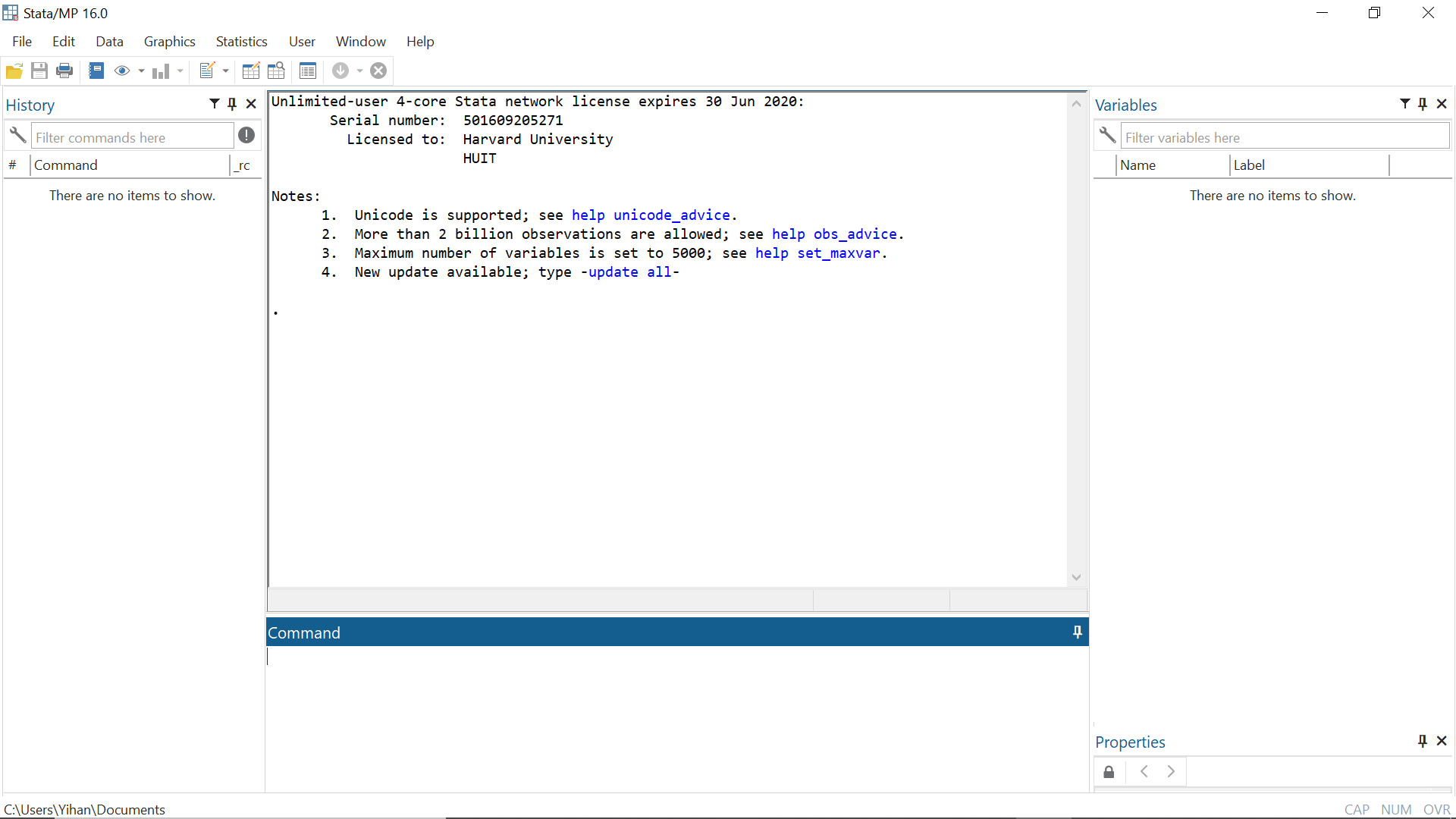
If you are having any difficulties with the installation or your Stata screen does not look like this one, please contact your Stata vendor for technical support before you start a workshop.